
Less searching
DocDr reads documentation from several visits and sources at once: your notes, scribe output, consult letters and allied health reports.
For Alberta clinicians
DocDr drafts disability reports, insurance forms and medication paperwork from your existing clinical notes. It pulls the relevant details together, shows where each answer came from and flags anything that needs a closer look.
Pick a form. Paste your EMR or Netcare notes. Review, sign, done.
Early access starts with Alberta clinic pilots.
March neurology note
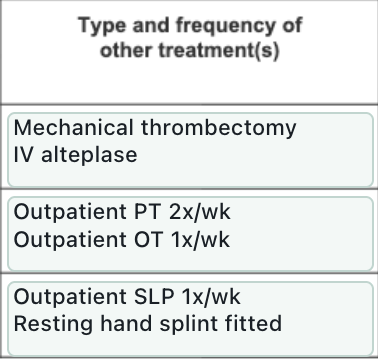
She received IV alteplase and subsequently underwent mechanical thrombectomy with TICI 2b reperfusion.
May occupational therapy note
Since mid-April she attends occupational therapy ONCE weekly (reduced from twice weekly…); physiotherapy continues twice weekly and speech-language pathology once weekly.
A resting hand splint was fitted in April to manage early flexor tone.
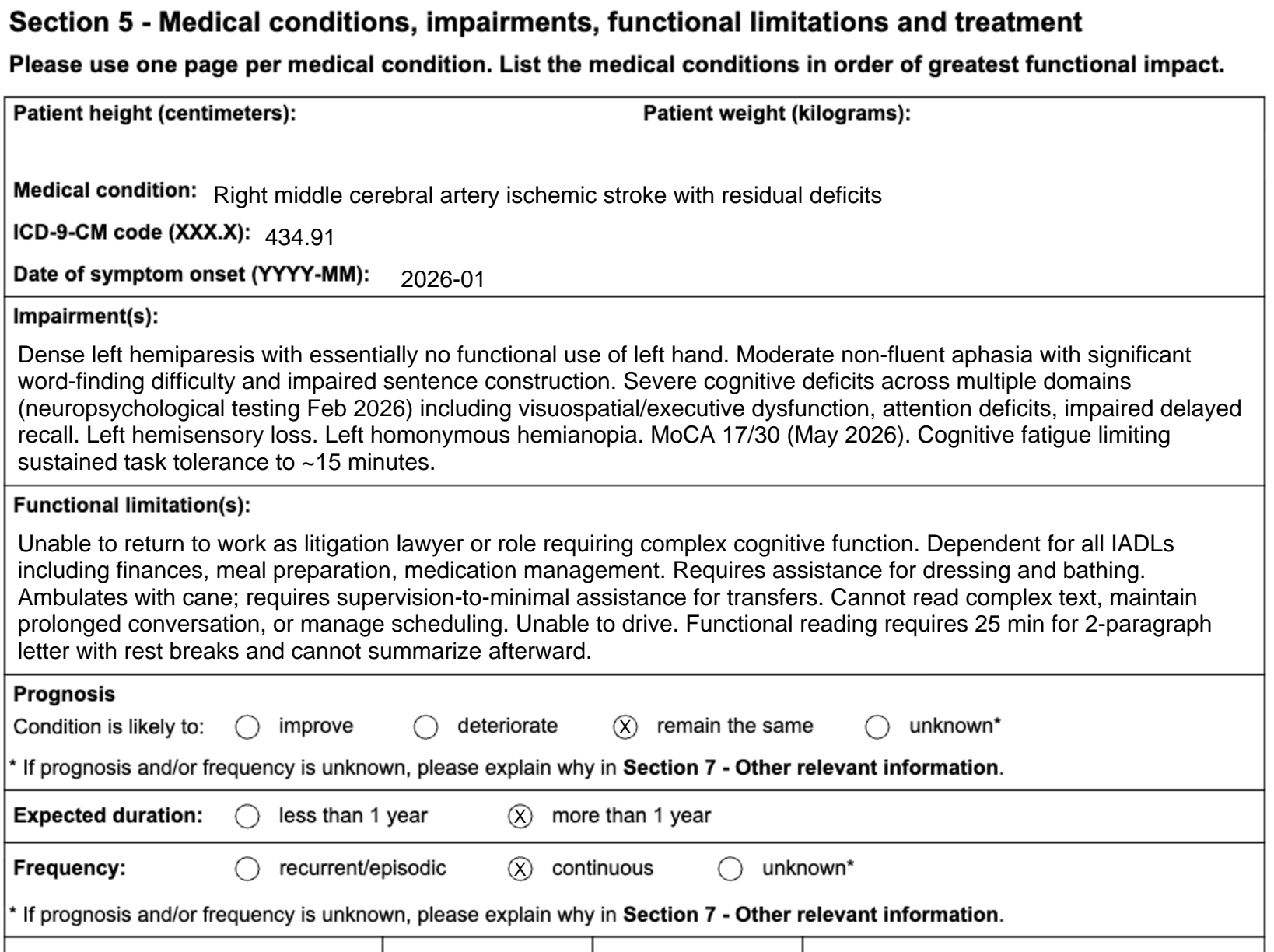
The CPP-D form as drafted by DocDr
AISH reports, CPP Disability applications, insurer claims and drug authorizations all ask for much the same information, each in its own format. The answers are scattered across visit notes, consult letters and allied health reports. Tracking them down and working out what each form needs takes time.
Nearly 20 million hours of unnecessary administrative work is done by Canadian physicians every year. That’s the capacity of about 9,100 full-time physicians. Third-party forms are a big part of it. Three in four physicians name insurance paperwork as a source of unnecessary work and more than half name government forms.
Source: Canadian Medical Association and Canadian Federation of Independent Business, Losing doctors to desk work (January 2026).
DocDr does the time-consuming parts for you: finding the detail buried on page four of an OT report, transcribing admission and discharge dates, flagging consult letters that disagree. Less time copying between chart and form, more time for patients and fewer forms following you home.
DocDr is built for long, high-stakes forms and for the work of checking them before you sign.
DocDr reads documentation from several visits and sources at once: your notes, scribe output, consult letters and allied health reports.
Each form includes drafting guidance from a physician who completes them weekly, like telling a renewal from a new drug request or which CPP-D conditions count as grave.
Drafted answers show the passage they come from. DocDr asks you to check conflicting or uncertain answers before you finish and leaves a field blank rather than guess.
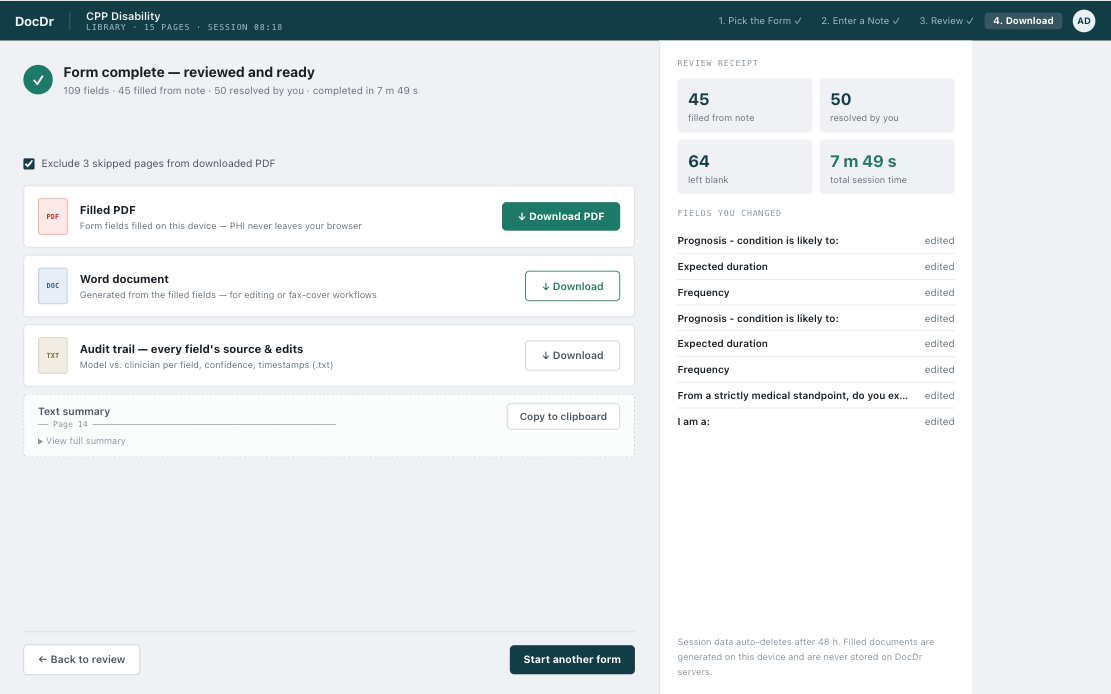
You download the original form with its own fields completed, ready to sign. Nothing is retyped into a different template.
No integration needed. DocDr works from the form and your notes, alongside whatever EMR or scribe you already use.
We're looking for a small group of Alberta clinics to refine DocDr with before a wider launch.
Join the pilotClick through each step to see DocDr in action. The screens show a real CPP Disability draft for a sample patient.
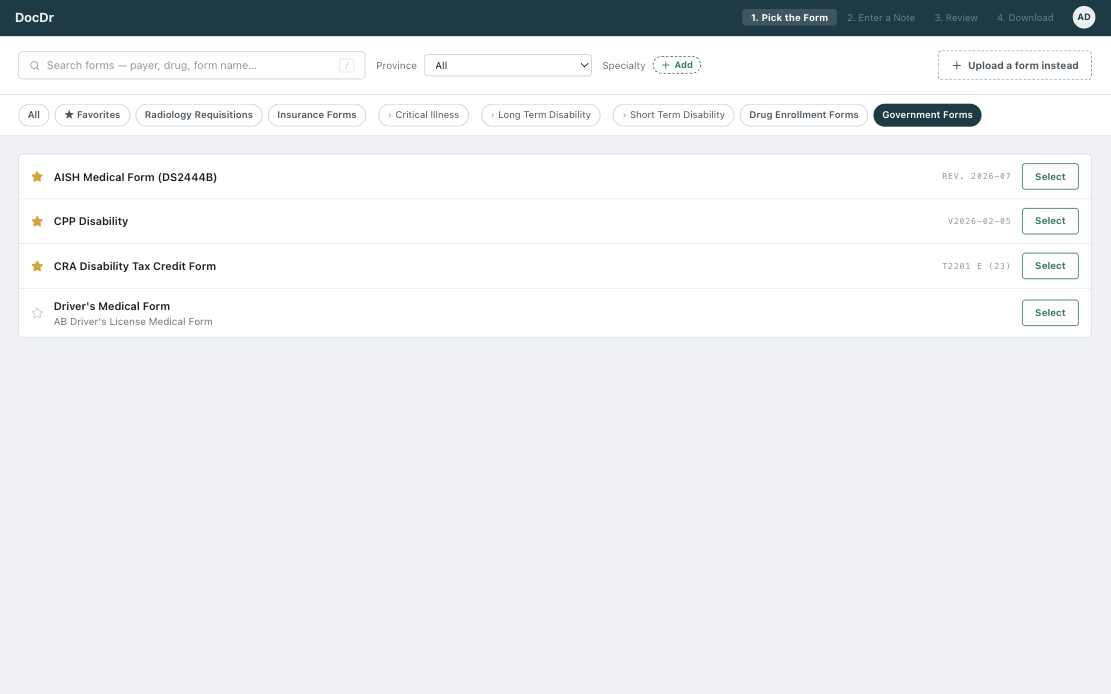
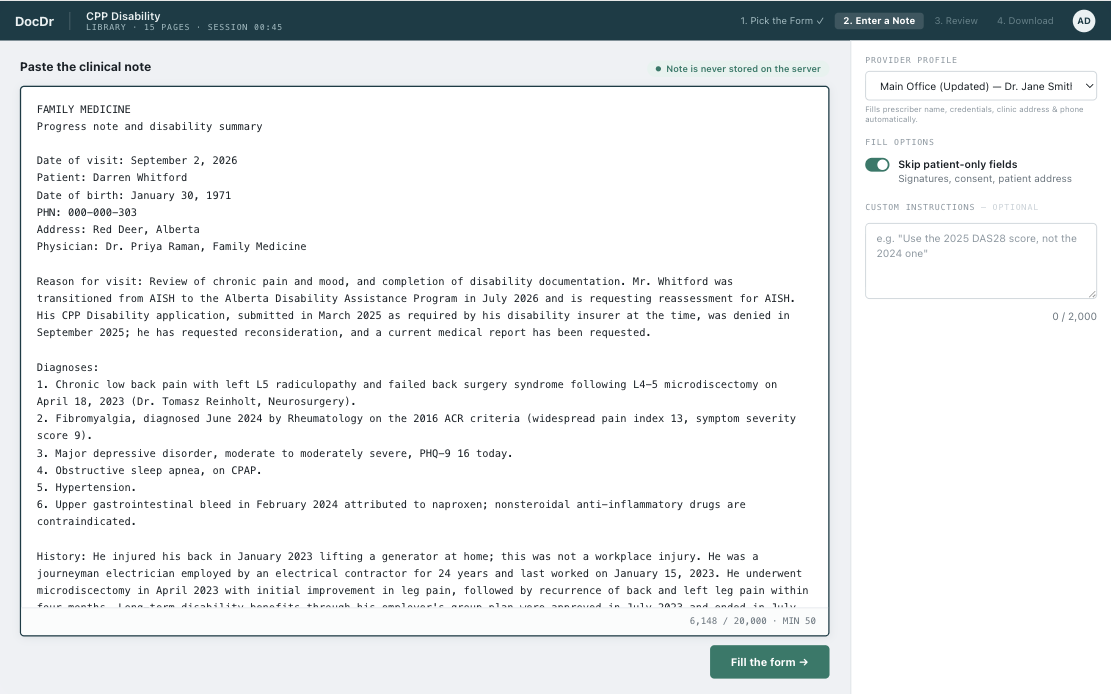
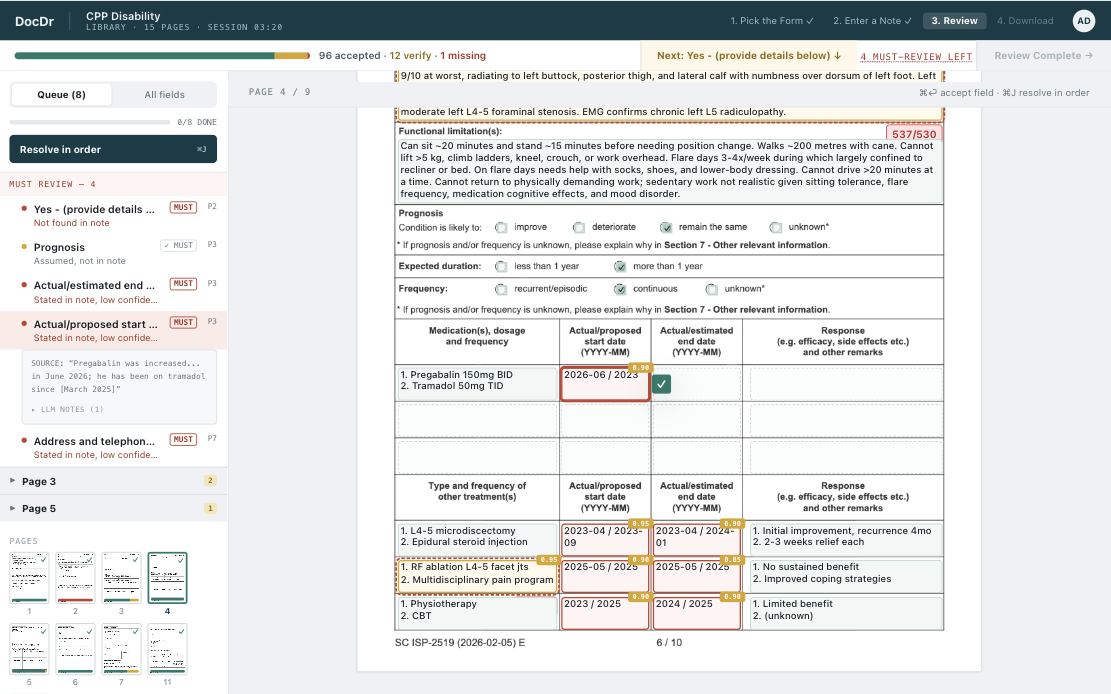
Demo with sample notes
Pick the form, paste your notes and DocDr drafts every page of the medical report. Then take a few minutes to review it, check anything flagged and sign.
If it’s not in your notes, DocDr won’t write it. You can see the source behind every answer and confirm key details before signing.
Each drafted answer shows the passage in your notes it came from, so you can check it in seconds without going back to the chart.
Every field shows how well your notes support the answer and how clearly DocDr read the question. The least certain answers come first in your review.
On drug authorizations and anywhere a dose matters, you confirm the drug, dose, frequency and route before finishing, even when the note is clear.
DocDr never fills in signatures, signing dates, patient-only sections or attachment boxes.
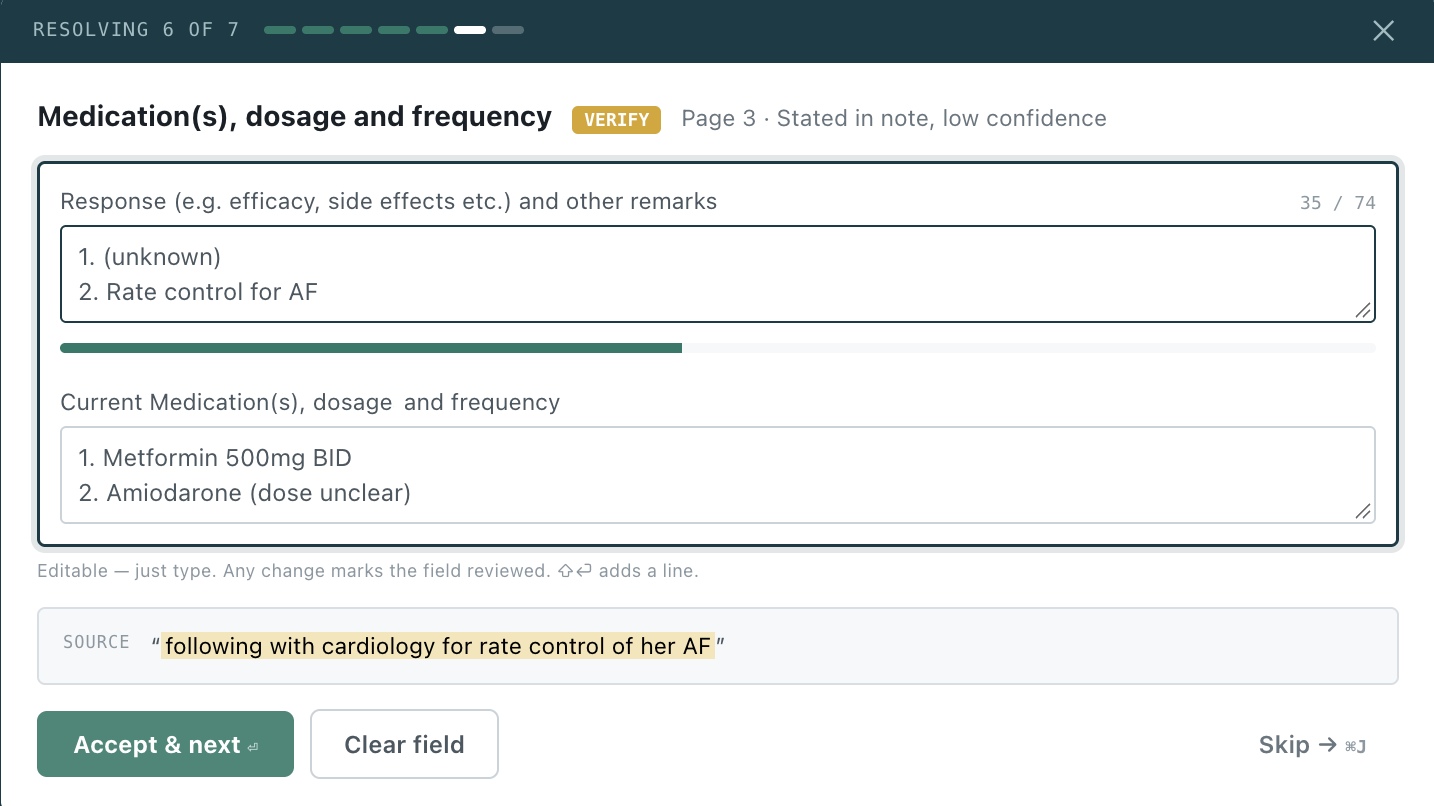
Every field gets two confidence scores: how clearly DocDr understood the question and how well your notes support the answer. The least certain answers come first in your review. Some always need your confirmation before you can finish, including conflicting information, answers without a clear source in your notes, medication details and anything the form’s guidance flags.
We’re adding forms regularly, starting with the ones that eat up most of your time.
Don't see your form? Upload your own fillable PDF, Word or scanned form and DocDr will draft it, just without the built-in guidance. Tell us which forms to add next.
Form names belong to their respective organizations. DocDr is not affiliated with or endorsed by any of them.
In the pilot, DocDr is set up within each clinic’s own network, so patient information stays on systems you already control.
In the pilot, all of DocDr runs on equipment inside the participating clinic's network, behind its firewall: the application, its storage and its language model. Notes and forms are not sent to an outside AI service or to DocDr, and we have no remote access to the installation. The model is an open-weight model run locally, and it is not trained on your patients' information.
DocDr does not save your full notes or the form you upload on its server; they are used to produce the draft. The draft is kept for up to 48 hours so you can resume interrupted work, then deleted automatically. It contains patient information: the drafted answers, the short passages quoted from your notes to support them, any instructions you added and the uploaded form's file name. Finished PDFs are filled in your browser; Word documents are assembled on the server in memory and sent straight to you. Either way, DocDr does not keep a copy of the downloaded document.
Only the clinician who created the draft can view or open it.
We plan to offer hosting inside health system infrastructure and a hosted service for clinics that cannot run their own. Neither is available yet. Each will complete the privacy impact assessment and agreements required under Alberta's Health Information Act before it handles real patient information.
The signing clinician is always responsible for every field in a filled form. DocDr drafts; you review, correct and sign.
DocDr is starting a pilot in Alberta, running entirely inside the clinic's network, including the AI model. We are looking for more pilot sites and for funding to evaluate DocDr and deploy it more widely.

From the founder
I'm a neurologist in Alberta, and before medicine I was a software engineer.
Every week, I'm filling out disability reports, special authorizations and drug enrolment forms for my patients. The information is almost always already in the chart, or even right there in my own note. The work is finding it, reconciling it and copying it into the right box, usually after clinic, when I should already be home with my family. Over time, it became the part of the week I dreaded most.
So I built DocDr to do that first pass the way I'd want it done: read everything, fill in what the notes support, leave a field blank rather than guess, show where each answer came from and hand the form back to the physician to review and sign.
A delayed form is a delayed treatment or a delayed paycheque. I've watched patients wait on that delay enough times to know what it costs them.
Dr. Chris HahnB.Eng, MD, FRCPC · Founder
Early access is currently through clinic pilots in Alberta. Clinicians: tell us about your practice and the forms you complete most. Clinic managers, health system teams and funders: tell us if you are interested in hosting or funding a local pilot.